Setting up my mobile computer
I fried my MacBook yesterday. Spilled water all over the keyboard, now it won't turn on. Last night I took it to a repair shop in the Richmond. They made me pay all cash, tried to ask for the password "to test if everything works", and gave me a 50% at best chance that I can recover the hard drive. Great 👍🫡
Meanwhile, I need a new computer. I want a MacBook Pro with 36+ GB RAM and 1TB+ storage. Every Apple Store within San Francisco is sold out of them (apparently the M5 Pro MacBooks are coming soon so they're low on M4 inventory). So while I try to figure out the fastest way to get a good computer, I wanted to still get something done.
Claude background agents are awesome and I've been using them regularly the past few weeks, but they're a bit too constrained. They can only operate on existing repositories, and they can only create self-contained, scoped pull requests for the features you want. This is good (you don't want Claude force pushing to main) but somewhat limiting. I want to be able to easily create tags and kick off actions remotely, and Claude's git proxy doesn't seem to support that.
So today's task was to set up a remote computer that I could connect to and do whatever I want with. I've been playing with Fly.io Sprites the past few weeks; I was tempted to use one for this project, but they aren't exactly a great fit for this use case. Sprites are long-lived VMs, but they're designed more for quick spin-up and, from what I can tell, don't have an easy way to SSH into (you can use sprite console from their CLI but I didn't have a terminal to run sprite console from. I just have my phone.) Maybe there's a way to do it, it just didn't seem straightforward. If it weren't for that, I bet a sprite should have worked fine as a general purpose computer for coding within.
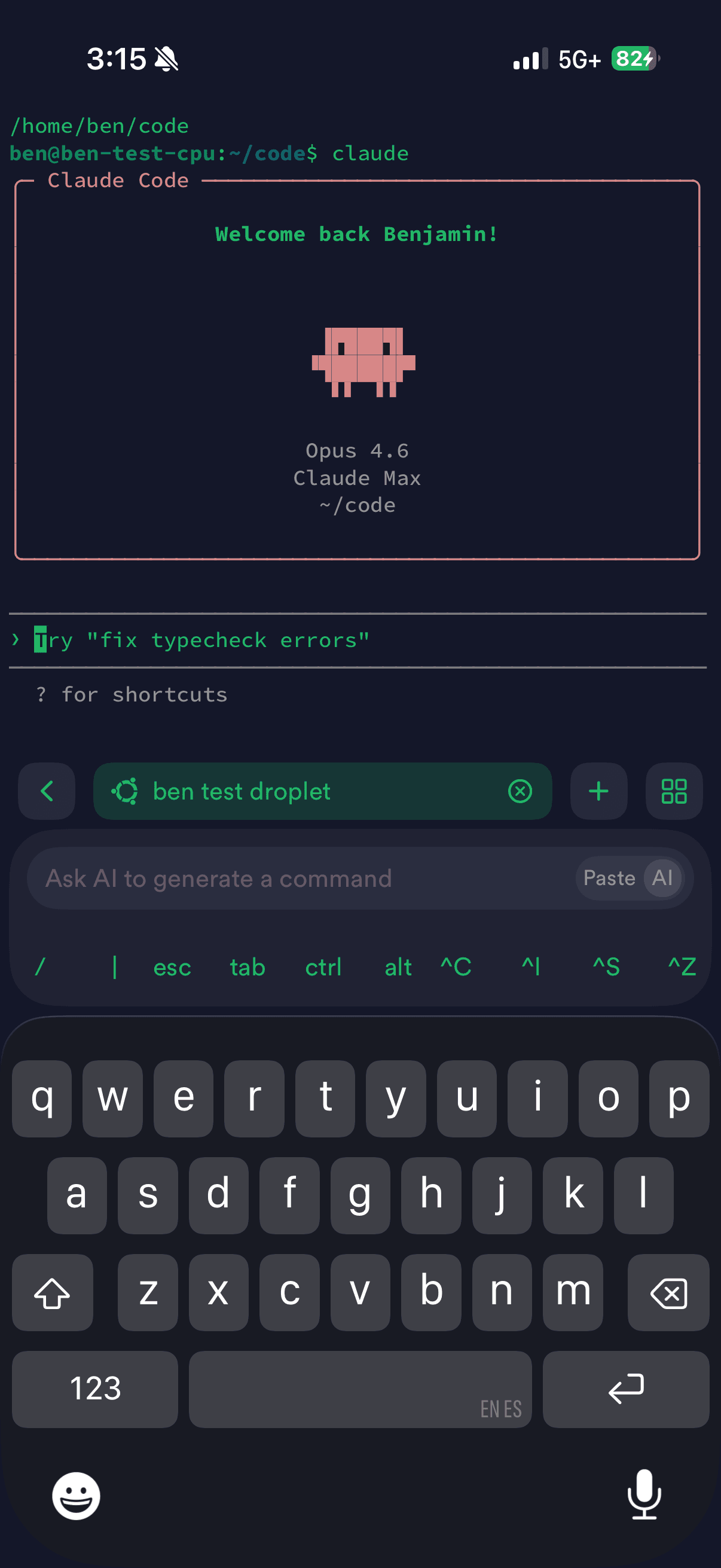
I created a Digital Ocean droplet instead. I had ChatGPT get me started on configuring it, then once I had a basic terminal setup I could SSH into (using Termius on iOS) I downloaded Claude Code on the VM to finish configuring port settings. I set it up to connect via Tailscale. Copying and typing terminal commands on mobile is tedious, but Claude Code removes most of the tedium. I can just tell it to "set up Tailscale on this vm" and it runs all the esoteric commands.
After a few hours, I now have a full computer that I can control from my phone.
I've also been working on a project (cloude-code) inspired by Claude background agents - it's a remote agentic coding environment that uses Fly.io Machines and Cloudflare's Agents SDK. So far I've just been reproducing functionality, but I want to create something somewhere between the rigid constraints of Claude and my unbounded remote VM. Unfortunately, I lost two days of progress on it because I'm lazy with git commits and my MacBook is now bricked. 😢